

Best Trading Software
Build a futures software stack around the workflow rather than a single “best” app. Evaluate data, charting, execution, order flow, research, journaling, automation, monitoring and resilience as connected layers.
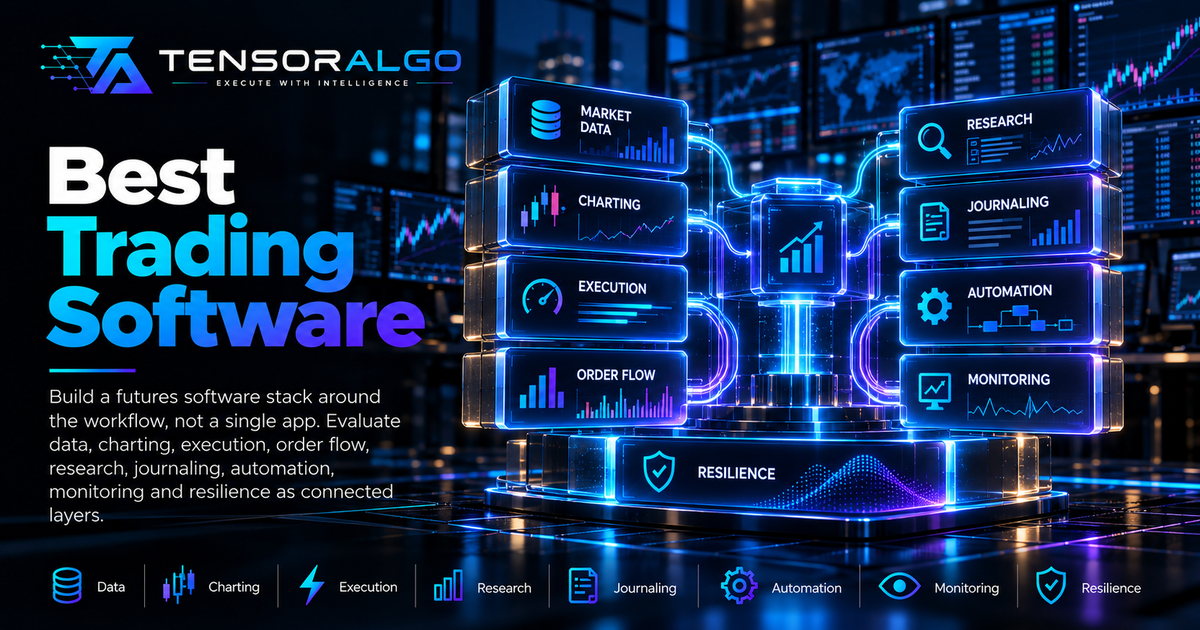
Best Trading Software: How to Build the Right Futures Trading Stack
There is no universally best trading application. A professional futures workflow usually combines several software categories: data, charting, execution, analytics, journaling, automation, and risk monitoring.
This guide focuses on how to choose a stack, not on declaring one vendor the winner.
Educational information only. Features, pricing, broker support, and integrations change; verify current details with each provider.
1. Market data
Everything downstream depends on data quality. Evaluate:
- exchange coverage;
- real-time versus delayed data;
- depth/Level 2 availability;
- historical depth/tick data;
- timestamps;
- reconnect behavior;
- licensing;
- API access.
A beautiful chart cannot repair missing or stale source data.
2. Charting
Charting software should support the timeframes and studies your strategy actually uses. Consider:
- custom indicators;
- session templates;
- volume/profile tools;
- drawing/object management;
- multi-monitor layouts;
- alerts;
- performance under many charts.
Avoid selecting a platform only because it has the largest indicator library.
3. DOM and order-flow tools
Short-duration futures traders may need market depth, Time & Sales, footprint/cluster views, cumulative delta, and volume-at-price tools.
Evaluate how the platform derives its order-flow metrics and whether your data subscription supplies the required depth.
4. Execution platform
Execution priorities include:
- broker/FCM compatibility;
- order types;
- bracket/OCO behavior;
- DOM entry;
- hotkeys;
- position/order visibility;
- reconnect/recovery;
- mobile/emergency access where relevant.
Test order behavior in simulation before relying on it live.
5. Analytics and market context
Analytics software can organize volatility, market structure, volume, options positioning, cross-market relationships, or strategy context.
Derived metrics such as GEX can differ between providers, so understand methodology rather than assuming identical labels mean identical calculations.
6. Journaling and review
A journal should make it easy to import or record trades, tag playbooks/context, attach screenshots, measure MFE/MAE, and review performance by meaningful groups.
The best journal is one that preserves enough evidence and is used consistently.
7. Backtesting and research
Research software should support the required data resolution and realistic execution assumptions. Look for reproducibility, version control, transaction-cost modeling, and time-aware validation.
Ease of optimization is not the same as research quality.
8. Automation
Automation infrastructure needs more than strategy scripting. Look for:
- stable APIs;
- idempotency;
- order-state events;
- risk controls;
- reconciliation;
- logging;
- secrets management;
- monitoring;
- kill switches.
A no-code trigger can be convenient, but production execution still needs operational safeguards.
9. AI assistance
AI can summarize data, explain context, search a journal, classify examples, or assist research. Evaluate whether outputs are grounded in real data and whether uncertainty/source timestamps remain visible.
Do not choose trading software because it simply adds an “AI” label.
Integration matters more than feature count
A stack of excellent standalone tools can become inefficient if symbols, sessions, timestamps, or trade identifiers do not align.
Map the flow: data → analysis → decision → execution → record → review
Minimize manual copying at important boundaries while preserving independent risk controls.
Reliability checklist
Before relying on a tool:
- What happens during a disconnect?
- How are stale values shown?
- Can order/position state be reconciled?
- Are timestamps/time zones clear?
- Is there an export/API?
- Are historical definitions documented?
- Is support reachable?
- Can critical functionality be tested?
Security
Use strong authentication, least-privilege API credentials, separate read/write access where possible, and never expose broker keys in client-side code.
Review third-party permissions periodically.
Cost of ownership
Include market-data subscriptions, exchange fees, platform licenses, broker costs, cloud infrastructure, and your own maintenance time.
A cheaper tool that creates frequent manual errors can be more expensive operationally.
Where TensorAlgo Fits
TensorAlgo focuses on structured market analysis, supported futures and crypto context, user-defined Playbooks and AI-assisted review. It is designed to complement specialized charting and execution software rather than replace every layer of a trading stack. Use the pricing/features page and Support Center to verify current integrations and capabilities before designing an integration around it.
Map the Workflow First
Draw market data → analysis → decision → execution → record → review and identify which component owns each state. Choose software after the map exists. This prevents buying overlapping products while leaving a critical handoff manual or ambiguous.
Data Platform Questions
Ask which exchanges/feeds are supported, whether depth is native, how historical tick data is sourced, what happens during reconnects, how timestamps are represented and whether the license permits your intended use. Data provenance is more important than the number of chart themes.
Execution Platform Questions
Test bracket/OCO semantics, partial fills, cancel/replace, reconnect behavior, order history, broker reconciliation, emergency access and whether local or server-side components must remain online. Use simulation before relying on unfamiliar order behavior.
Charting and Order Flow
For discretionary futures trading, layout speed, custom studies, volume profile, DOM, Time & Sales and cumulative delta may matter. Only pay for order-flow features if the strategy actually uses them and the subscribed feed provides the required depth.
Research Stack
Backtesting software should make transaction costs, time zones, contract rolls and data access explicit. Prefer reproducible code/configuration and versioned results over an optimizer that makes it easy to search thousands of combinations without recording them.
Journal Stack
Look for stable imports, strategy/version tags, screenshots, MFE/MAE, adherence fields and export. A journal is valuable when it can answer research questions, not merely display a P&L calendar.
Automation Stack
APIs need authentication, idempotency, state events, reconciliation and monitoring. Review Trading Automation Explained before connecting analytical signals to consequential actions.
Security and Portability
Use MFA where available, least-privilege API keys and server-side secret storage. Check whether you can export trade/research data. Vendor lock-in is less risky when the underlying evidence remains portable.
How to Compare Vendors
Create a requirements matrix with must-have, useful and irrelevant features. Test reliability in your actual session and hardware environment. Current prices and integrations change, so verify them on each vendor's official site rather than relying on evergreen comparison tables.
Authoritative References
Use the CFTC Learn & Protect resources for futures-market risk education and CME Education for exchange/product mechanics. Software vendors should be checked on their own official documentation for current pricing, feeds, broker support and feature availability.
Build Versus Buy
Custom software provides control but creates maintenance, security and testing obligations. Commercial software reduces development work but introduces vendor dependencies. Evaluate total lifecycle cost, not only subscription price.
Desktop Versus Web
Desktop platforms can integrate deeply with local feeds and execution; web platforms simplify access and updates. Reliability depends on architecture, not category. Understand what happens if the browser, local machine or vendor service goes offline.
APIs
Check rate limits, authentication, streaming support, order/event semantics, historical access and versioning. An API advertised as available may not expose the exact depth or account actions your workflow needs.
Data Licensing
Exchange data can carry professional/non-professional classifications and redistribution restrictions. If building tools for others, verify licensing directly with vendors/exchanges rather than assuming a personal subscription can be redistributed.
Performance
Measure CPU/RAM use, chart responsiveness and network stability under your real workspace. A platform that performs well with one chart may behave differently with many DOMs, indicators and browser tabs.
Backups
Export strategy configurations, templates, journal data and custom code. Cloud sync is convenient but should not be the only copy of critical research.
Vendor Risk
Consider outage history, support, data portability and how easily you can switch. Avoid architectures where one vendor failure removes data, analysis, execution and records simultaneously if redundancy matters.
Mobile Access
Mobile can be useful for monitoring or emergency position management, but small interfaces increase input risk. Define what actions are permitted from mobile rather than assuming every desktop workflow should be replicated.
Alerting
Alerts should contain enough context to identify the instrument, playbook and state while avoiding repeated noise. Test delivery when the primary tab is backgrounded or closed if that matters to the workflow.
Software Evaluation Trial
During a trial, run a checklist: feed stability, session templates, order simulation, exports, reconnects, support response and resource use. Test the boring failure cases before committing.
Integration IDs
Use stable trade/strategy identifiers across tools when possible. Symbol text alone is often insufficient because contracts roll and naming conventions differ.
Evergreen Buying Principle
Feature lists and prices age quickly. The durable method is to define requirements and verify current official documentation immediately before purchase.
Start With Requirements, Not Brands
Write the workflow before comparing products. A futures scalper who depends on DOM and low-latency order entry has different requirements from a researcher who needs historical data, notebooks and reproducible experiments. A creator or discretionary swing trader may prioritize chart annotation, alerts and journaling instead.
Create a requirement matrix with must-have, should-have and optional capabilities. Include supported exchanges/markets, data depth, order types, broker connectivity, API access, exportability, operating system, mobile needs and total recurring cost.
The Building a Professional Trading Workflow guide helps define those requirements before the software shortlist begins.
Evaluate the Data Layer Separately
Ask where market data originates, whether it includes the depth/history required, how timestamps are handled, what happens during reconnects and whether historical and live feeds are consistent enough for the intended research. “Real time” is not a complete specification.
The Futures Trading Glossary explains Level 1/Level 2, DOM, volume and other data concepts. For contract specifications, use current exchange documentation rather than platform defaults.
Execution and Risk Deserve Their Own Checklist
For execution software, test order types, bracket behavior, partial fills, reconnect handling, position reconciliation and emergency controls. Verify whether server-side and client-side orders behave differently when the local machine disconnects.
The Trading Automation Explained guide covers state and reconciliation, while the Risk Management Guide explains why platform margin is not a substitute for a trader-defined risk model.
Research Software Should Preserve Reproducibility
A useful research stack records data versions, code/configuration, strategy versions and cost assumptions. It should be possible to reproduce a result without manually reconstructing the environment. The Backtesting Guide explains why this matters when many configurations are tested.
Journaling and Review Need Exportable Data
Screenshots are useful, but structured records make cohort analysis possible. Check whether trades, tags, notes and attachments can be exported in durable formats. The Trading Journal Guide provides a schema for decision, execution, context and outcome evidence.
Operational Resilience Is a Feature
Assess updates, backups, credential security, status visibility, support, incident history and the emergency path if the primary platform is unavailable. A beautiful interface does not compensate for unclear position state during a disconnect.
For exchange-side context, CME Group's Risk Management Tools documents examples of professional controls such as credit limits and kill-switch functionality. Retail software will not mirror that architecture exactly, but it is a useful reminder to evaluate control paths as seriously as chart features.
Re-Evaluate the Stack Periodically
Software changes, pricing changes and the workflow itself evolves. Revisit the requirement matrix periodically instead of accumulating overlapping subscriptions. The “best” stack is the smallest reliable set of tools that supports the actual process with clear data ownership and failure recovery.
Trial Software With Real Tasks
A product demo can make every platform look capable. Evaluate candidates with a fixed trial script: connect the required data, build your normal workspace, place simulated bracket orders, export trades, recover after a disconnect, switch contracts, test alerts and reproduce one research task. Record friction and failures rather than relying on first impressions.
Total cost of ownership
Include exchange/data subscriptions, platform fees, broker requirements, add-ons, cloud/VPS costs and the time required to maintain integrations. A cheaper tool that forces several paid workarounds may cost more overall.
Vendor and lock-in risk
Ask what happens if the vendor changes pricing, removes a feature or has an outage. Can layouts, trade history, journal records and strategy code be exported? Are APIs documented? Is there a fallback execution path?
Security review
Use MFA where available, restrict API keys to the permissions actually needed and avoid placing broker credentials in client-side scripts. Review third-party integrations periodically and revoke unused access.
The best software decision is rarely the platform with the longest feature list. It is the stack that performs the required tasks reliably, exposes enough data to verify state, preserves your records and has an acceptable failure path when a dependency is unavailable.
Frequently Asked Questions
Do I need one platform for everything?
No. A modular stack can work well when data, order state, identity and handoffs between tools are reliable.
Is more expensive trading software necessarily better?
No. Price does not establish data quality, execution reliability or fit with a particular strategy. Evaluate the actual workflow and failure modes.
Do futures scalpers need Level 2 or order-flow tools?
Only strategies that use depth or order-flow information need those inputs. Add them because the playbook requires them, not because they create a more complex screen.
What should I test during a software trial?
Use real workflow tasks: data freshness, chart/session settings, order handling, exports, alerts, reconnect behavior, latency and whether the tool preserves the evidence you need for review.
Final Takeaway
Choose software from the workflow backward. Define the data, decisions, execution, risk, review and reliability requirements first; then build the smallest stack that satisfies those requirements without creating unnecessary integration risk.