

Buying a Marketplace Playbook is the simplest way to add a creator-built trading workflow to your TensorAlgo library for ongoing use instead of renting it month by month.
Trial users can discover and review Marketplace Playbooks and the information creators publish. Completing a all-time Marketplace purchase requires an eligible paid plan.
Why buy instead of rent?
A purchase is useful when you have found a Marketplace Playbook you expect to keep using and prefer purchased access to the listing rather than a recurring rental period.
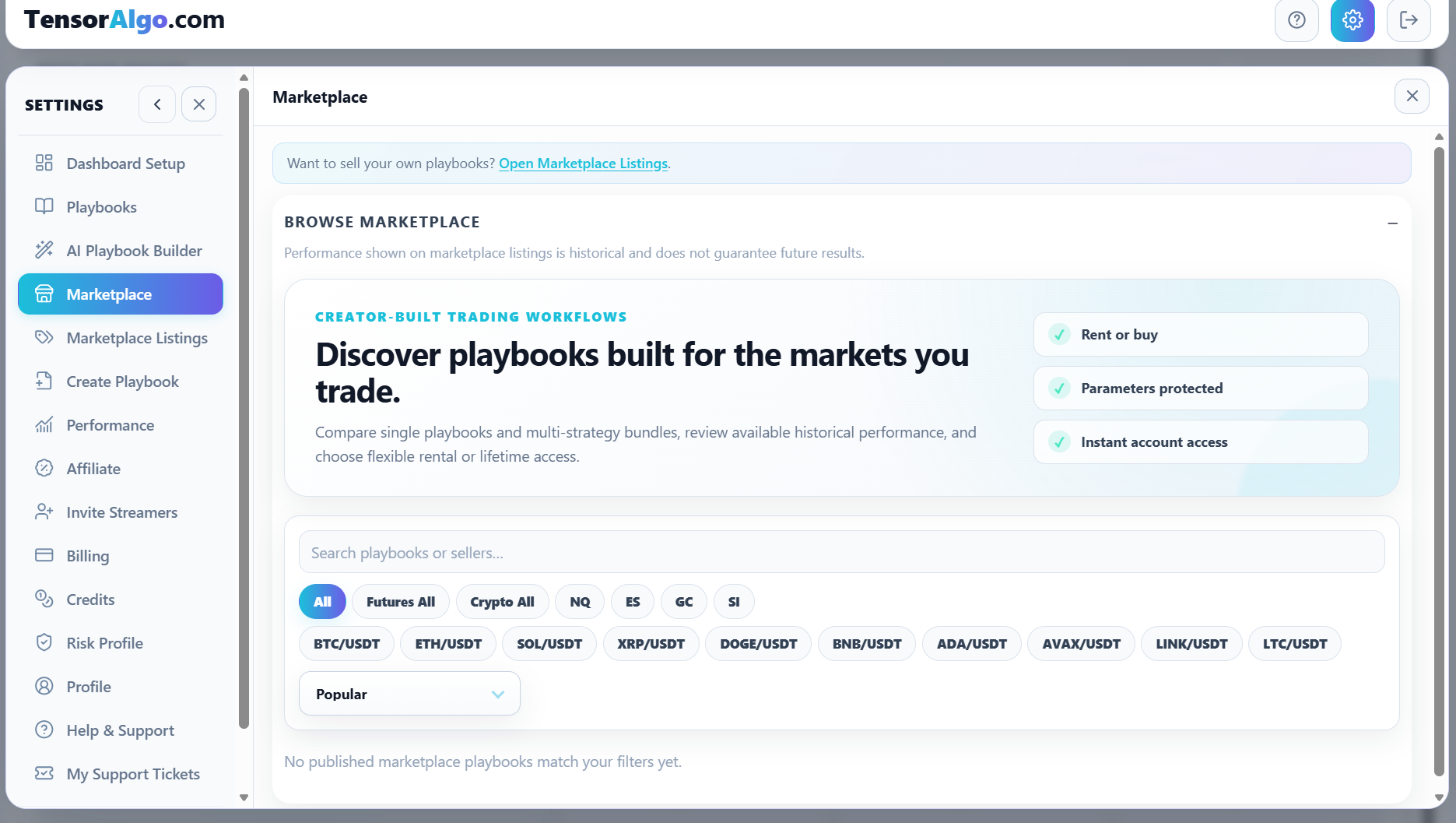
The Marketplace lets you review the public information available for each listing before you decide. Depending on the listing, that can include the supported market, description, tags, available historical performance information, creator information, and the access options the creator offers.
Buying access does not reveal the creator's protected strategy parameters or proprietary logic. You get the Playbook access provided by the Marketplace while the creator's protected implementation remains private.
Find a Playbook that fits your workflow
- Open Settings → Marketplace.
- Search or filter the available Playbooks by the market or listing information that matters to you.
- Open a listing that interests you.
- Review the description, supported market, available historical performance information, and price.
- Look for a Buy option when you want one-time purchase access.
Historical Marketplace performance can help you understand the evidence attached to a listing, but it does not guarantee future results.
Complete the purchase
When you are ready, make sure your account has an eligible paid plan. Trial accounts can browse the listing but cannot complete the purchase transaction.
- Select the listing's Buy action.
- Review the one-time purchase price shown in checkout.
- Choose one of the payment methods currently offered.
- Complete checkout.
- Open Settings → Playbooks and confirm that the purchased Playbook is in your library.
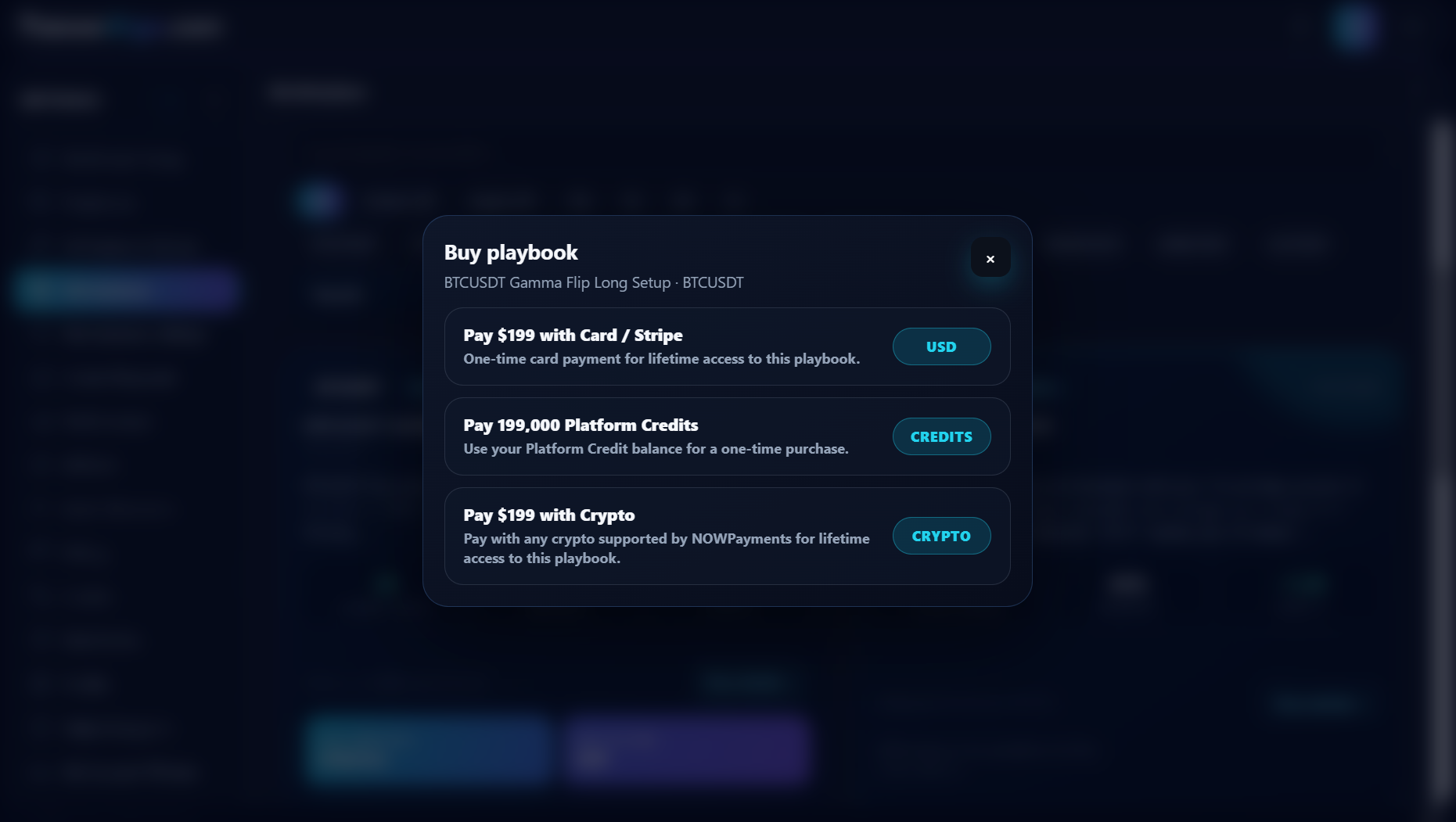
The current checkout can offer card payment, Platform Credits, or direct crypto payment. The price displayed in checkout is authoritative for that purchase.
Eligible direct crypto Marketplace purchases receive the current 10% direct-payment saving. Platform Credits are spent at the normal Platform Credit price.
Start using your purchased Playbook
A purchase adds the Playbook to your account, but it does not automatically activate it. This gives you a chance to review your current workspace and decide when you want the Playbook running.
To use it:
- Open Settings → Playbooks.
- Find the purchased Playbook.
- Review the actions available for it.
- Activate it when your account has enough active-Playbook and active-strategy capacity and the activation checks pass.
A purchased Playbook counts toward the applicable saved, active-Playbook, and strategy limits while you use it. Protected Marketplace details remain hidden, and a purchased Playbook cannot be republished as your own Marketplace listing.
Keep or update your Marketplace version
A purchase is tied to an immutable Marketplace version. If the creator later qualifies and publishes a materially changed version, TensorAlgo can show the newer entitled version as an available update. The update is optional: you can keep the version you selected or switch to another version included with your entitlement. A creator unpublishing the listing for new transactions does not silently remove your purchased entitled version.
Verified Marketplace buyers can also leave a verified review from the Marketplace detail view. Public verified ratings are built from that verified buyer/renter workflow rather than arbitrary legacy rating fields.
Make the Marketplace part of your workflow
Buying can be especially useful when you want to complement Playbooks you created yourself with a creator-built workflow that targets another setup, market, or trading approach.
You can keep your own Playbooks, AI-built Playbooks, and purchased Marketplace Playbooks in the same TensorAlgo environment, then decide which ones deserve active capacity based on the way you currently trade.
Troubleshooting a purchase
If the Playbook does not appear after checkout:
- Confirm that checkout completed successfully.
- Refresh Settings → Playbooks once.
- Make sure you are signed in to the same TensorAlgo account that completed the payment.
- Allow a short period for payment reconciliation if checkout has just completed.
- If the purchase is still missing, open a Support Ticket.
Include the listing title, approximate payment time, and any visible transaction reference. Do not include full payment credentials.