

GEX, OI, and related options metrics are calculated for a selected option expiry.
Changing the expiry can change the displayed levels, rankings, and regime context.
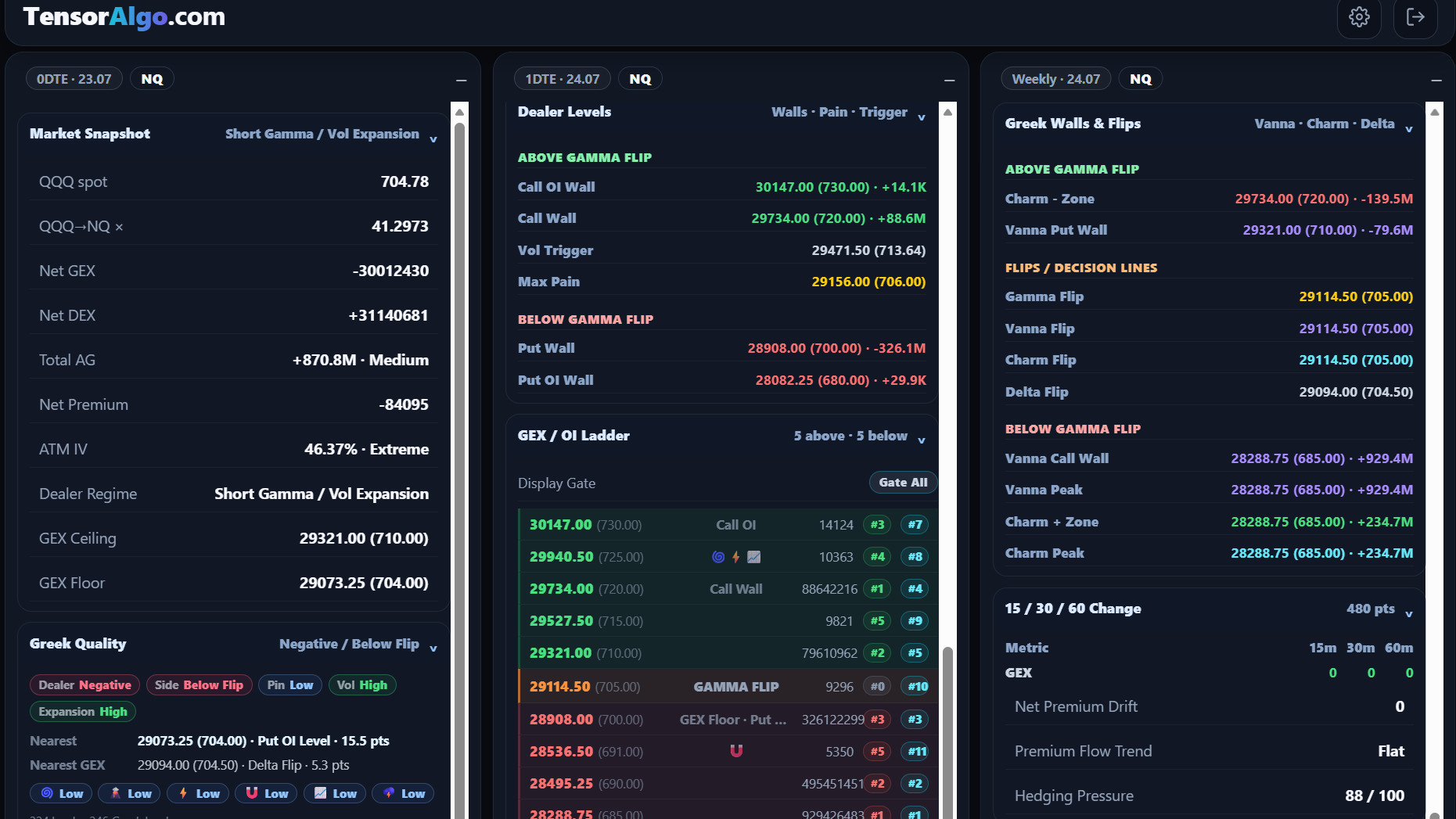
Available expiry modes
Where supported, TensorAlgo can offer selections such as:
- Default — uses the product's default expiry behavior for the instrument;
- 0DTE — same-day expiry;
- 1DTE — next-day expiry;
- Weekly — a supported weekly expiry.
Not every expiry mode is available for every instrument or session.
Fallback behavior
A workflow can use one of two fallback approaches:
- Next — use the next eligible expiry when the requested expiry is unavailable;
- Strict — require the requested expiry and do not silently replace it.
Default futures behavior
The current default behavior can differ by futures family.
NQ and ES commonly use the current short-dated expiry context, while GC and SI use a weekly context unless the user selects another supported mode.
The displayed expiry is authoritative for the current card or analysis.
Before comparing levels
Confirm:
- instrument;
- requested expiry mode;
- selected expiry;
- expiry date.
When an expiry is unavailable
Possible reasons include:
- the requested expiry does not exist for the instrument;
- the market is between expiry windows;
- the data is temporarily unavailable;
- Strict fallback behavior prevents a replacement expiry.
Try the default mode or another supported expiry.